
Now you press button “Add/Edit Settings” and choose settings that you need. On General options, in paragraph 1 – ” Search in custom post types” you can see list of all post types that exists on your site. Here you can choose post type. For example you want to make search form for searching in post type “wdvdocs”:
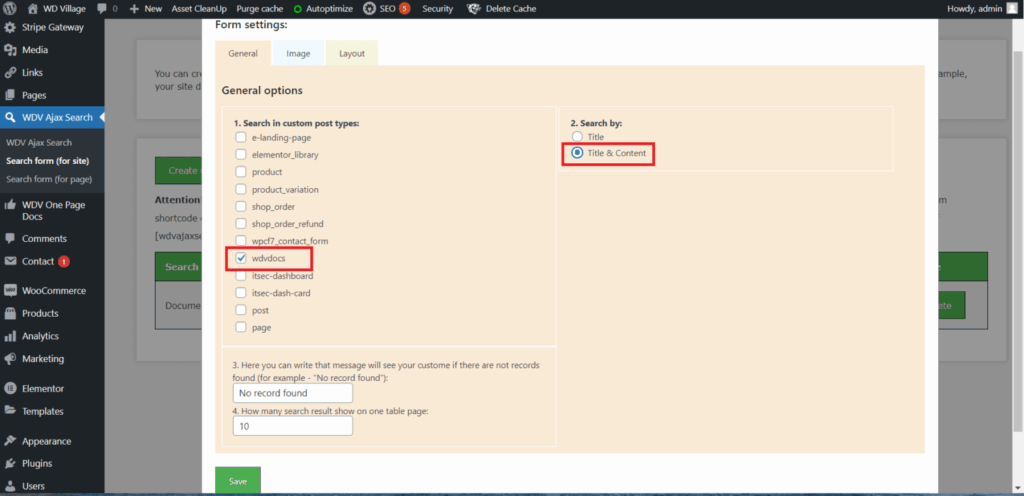
In paragraph 2 – “Search by” you can choose – the search will be carried out only by post titles or by post titles and content.
In paragraph 3 you can write that message will see your custome if there are not records found (for example – “No record found”).
In paragraph 4 you can write how many search result show on one table page with search results.